Dynamics 365 Business Central Implementation

The way we work has transformed dramatically over the past decade, new business models, advances in AI, and shifting workplace expectations have redefined how organisations operate.
It’s no longer sustainable to rely on tangled spreadsheets, disconnected systems, or reactive decision-making.
Dynamics 365 Business Central replaces that chaos with clarity.
Now is the time to move to the cloud, modernise your processes, and implement a solution built for the future, and we deliver it in a way that truly moves the needle for your organisation.

What Is Dynamics 365 Business Central?

Microsoft Dynamics 365 Business Central is an all-in-one, cloud-based business management solution built for growing organisations that need to modernise and unify their operations.
It brings your financials, operations, sales, and supply chain together on a single, secure platform eliminating silos and giving you complete visibility across the business.

If your goal is to streamline processes, enhance productivity, and gain real-time insight across every area of your organisation, Dynamics 365 Business Central is the ERP that will get you there.
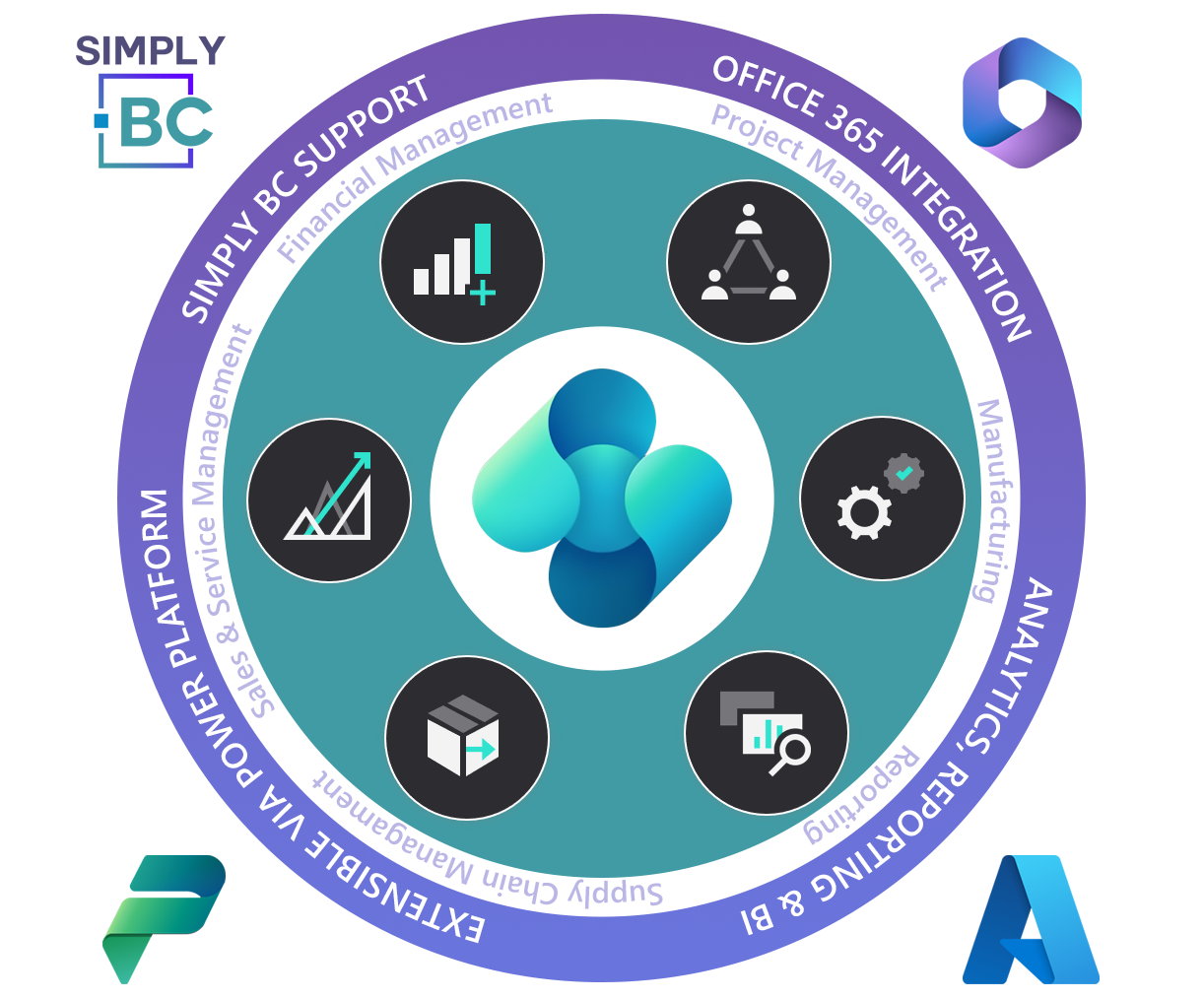
A Clear Path to Business Central Success.

Our hybrid delivery model blends structure with agility, giving you predictable milestones, faster outcomes, and a solution built around your organisation’s needs. 
Through series of targeted workshops with your leadership and operational teams, we map your processes, evaluate your systems, and define a transformation roadmap powered by Business Central.

Dynamics 365 Business Central implementation

Our 8 phase implementation methodology uses a proven hybrid delivery model

Discovery Phase

We define solution requirements through collaborative workshops, document them for design and finalise the implementation plan and costs.

The initial phase of the Business Central implementation project is dedicated to establishing a clear, shared understanding of the solution requirements necessary to deliver tangible business value. Simply BC uses collaborative, workshop-based sessions supported by user observation to capture functional requirements and address key areas such as training, data migration, and post-implementation support. All agreed requirements are documented in a Traceability Matrix, forming the basis for solution design. Once requirements are validated, Simply BC prepares user-friendly design documents for stakeholder review and approval. With final agreement on Discovery outputs, the implementation plan and any remaining costs are confirmed.
Outputs and Deliverables
  • Discovery Workshops
  • Solution Design Document
  • Requirements Matrix
  • Project Estimates
  • Project Statement of Work (SOW) Document
  • High-level Project Plan

Planning Phase

We establish project governance, align objectives, define roles, plan timelines, and set up tools for successful implementation.

The Planning Phase begins once the solution design, revised project cost, and Statement of Work are approved. Its purpose is to establish the governance, structure, and clarity needed for a successful implementation. Key activities include confirming project roles, defining communication protocols, and setting up risk and issue management processes. Simply BC works closely with the Customer to ensure alignment on objectives, milestones, and success criteria. A detailed implementation plan is then created, outlining timelines, responsibilities, and dependencies, and reflecting the agreed Discovery scope. Core project tools and environments, such as issue tracking systems, test environments, and documentation repositories are also set up, alongside any necessary onboarding sessions. These outputs form the operational framework for the project and prepare the team to move confidently into the configuration and build phase.
Outputs and Deliverables
  • Detailed Project Plan
  • Project Initiation Document
  • RAID (Risk, Assumptions, Issues, Dependencies)
  • RACI (Responsible, Accountable, Consulted, and Informed)

Development Phase

We configure the solution, develop required customisations, and validate progress through sprint reviews with controlled releases.

The Development Phase begins after Project Planning and focuses on configuring the core solution and developing any required custom functionality. Simply BC follows established best practices to ensure all configuration and development work is high-quality, maintainable, and fully traceable. To maintain transparency, agreed functionality is demonstrated through Sprint Playback sessions, giving the Customer early insight into the solution and the opportunity to provide timely feedback. All development activities are managed through controlled, secure processes with strict version control for deployments, ensuring consistent and well-documented releases. This phase establishes the technical foundation of the solution and prepares the project for structured testing and refinement in the following stages.
Outputs and Deliverables
  • System Configuration
  • Customisations Development
  • Sprint Cycle
  • Sprint Planning
  • Sprint Playback
  • Sprint Testing
  • Sprint Review
  • Data Migration Templates and Support

Training Phase

We deliver tailored training, building confident Business Central users with Power BI skills and internal capability. The Training Phase ensures Customer teams have the knowledge and confidence to use and manage Business Central effectively. Simply BC offers flexible training options, including classroom sessions, Microsoft help materials, and tailored documentation. For this project, a Train-the-Trainer model is recommended, supported by concise quick reference guides to build strong internal capability and reduce long-term reliance on external support. Training will also focus on empowering users to work with Power BI, enabling designated team members to configure and develop reports independently. Where possible, reporting and configuration training will be integrated into the build phase to provide practical, hands-on learning and reduce additional training costs. If additional materials or delivery methods are needed, Simply BC can tailor the training approach to meet evolving Customer requirements.

Testing Phase

Users validate the system with our expert support, ensuring all requirements are thoroughly tested before deployment. Once Simply BC completes System Testing, the solution will be issued to the Customer team for User Acceptance Testing (UAT). This phase allows end users to validate that the system meets agreed requirements by running real-world scenarios in a controlled environment. Simply BC will support UAT by providing tailored user guides and Train-the-Trainer style demonstrations to ensure users understand the system and their test responsibilities. Throughout UAT, the Simply BC team will remain closely involved, offering support, answering questions, and resolving any issues that arise. The Customer will prepare UAT scripts based on the Traceability Matrix to ensure all functional, training, and reporting requirements are thoroughly tested before go-live.
UAT is a critical step in confirming the solution is fully functional, aligned with business needs, and ready for deployment.

Deployment Phase

We execute go-live with careful planning, complete migration and readiness checks, support users through deployment, and transition to Hypercare. The Deployment Phase marks the transition of Business Central into live operation and is executed with careful planning to minimise disruption. Simply BC will work with the Customer to finalise data migration, confirm user access, and complete all readiness checks. A detailed cutover plan will outline the steps, responsibilities, and timelines required for go-live.
During deployment, Simply BC will provide enhanced hypercare support, assisting users, monitoring performance, and resolving issues to ensure a stable and confident transition to the live system. After go-live, a formal review will be conducted to capture lessons learned, address outstanding items, and confirm next steps for ongoing support. With deployment complete, the project moves into continuous improvement and post-implementation support.

Hypercare

We provide enhanced post-go-live support, resolve early issues, monitor performance, and ensure users gain confidence before transitioning to standard support. The Hypercare Phase begins immediately after go-live and provides enhanced support to ensure a smooth transition to the live Business Central system. Simply BC consultants will be on hand to assist users, resolve early issues, and reinforce training as teams begin working with the solution in real time. During this period, Simply BC will monitor system performance, data accuracy, and user feedback, addressing any defects or adjustments as needed. Regular check-ins with the Customer will ensure transparency, track progress, and agree on corrective actions.
Hypercare typically lasts for the first few weeks post-deployment and concludes once the system is stable and users are confidently operating independently, at which point the project transitions to the standard support model.

Adoption & Value Phase

We deliver value by driving Business Central adoption, refining workflows, automating processes, and turning data into insights that boost profitability.

But the journey doesn’t end at Hypercare. True value is realised in the Adoption & Value Phase, where the focus shifts from implementation to optimisation. Once the system is live and stable, we focus entirely on your people and the business value they generate. Technology is only as good as the habits of the users, so we stay engaged to ensure your team feels confident and supported. We refine workflows, ensuring your team isn’t just “using” Business Central, but exploiting it to drive profitability. We treat this phase as a continuous improvement cycle, turning data into insights and manual processes into automated wins, guaranteeing that your investment matures into a competitive advantage rather than just an IT cost.

Book a Free Consultation

Explore how Dynamics 365 Business Central can address your organisation’s challenges.

Work smarter and grow faster with next-generation AI–powered ERP built for small and midsize businesses. Trusted by more than 50,000 companies, Dynamics 365 Business Central with Copilot automates sales and payables, elevates productivity, and helps you make confident, data-driven decisions.

Contact our friendly Business Central experts to discover how Dynamics 365 can help drive your business forward.


dynamics 365 business central Questions, Answered by Our Experts!

Frequently asked questions

ERP stands for Enterprise Resource Planning, at its core, an ERP eliminates data silos to create a “Single Source of Truth.”
An ERP, like Dynamics 365 Business Central, connects every department into a single, unified platform, from the warehouse floor to the finance office. By leveraging AI and automation, modern ERPs move beyond simple data entry to become proactive assistants: spotting trends, reconciling ledgers automatically, and triggering supply chain workflows before problems occur.

Dynamics 365 is the broader suite of Microsoft business applications. It includes a wide range of solutions, such as Sales, Customer Service, Marketing, Supply Chain Management, Finance, and Business Central, designed to handle everything from CRM to enterprise-level ERP needs.

Business Central, on the other hand, is one specific application within the Dynamics 365 family.
It is Microsoft’s all-in-one ERP system for small and midsize businesses, covering finance, inventory, sales, purchasing, projects, and manufacturing.

Think of Dynamics 365 Business Central as Dynamics NAV (Navision) reimagined for the modern cloud era. While it retains the core ERP functionality you rely on, it eliminates the headaches of the past.

  • No More Silos: Unlike NAV, which lives on isolated servers, Business Central is cloud-native, allowing you to access your business data from any device, anywhere in the world.
  • Seamless Upgrades: NAV upgrades were expensive and disruptive. Business Central updates automatically (like your phone apps), ensuring you are always on the latest version without downtime.
  • Future-Proof: Mainstream support for Dynamics NAV has ended. Business Central is the active, secure future of Microsoft ERP.

Moving to the cloud delivers built-in security, scalability, and resilience, plus additional benefits beyond infrastructure. With Business Central, always-on AI agents automate payables, monitor sales orders, and flag issues in real time to help teams spend less time on manual work and more on growth. Business Central also offers full Microsoft stack integration and thousands of AppSource add-ons.

Yes, and the sooner you do, the more you save.

Dynamics 365 Business Central is the direct, cloud-based successor to Dynamics NAV (Navision). While your data can be migrated, the complexity depends on your current version (e.g., NAV 2015 vs. NAV 2009) and the “heaviness” of your customisations.

Why act now? Industry data suggests that delaying your migration raises the complexity and cost of the project by roughly 15% every year. As the technological gap widens between your old C/AL code and the modern AL language, the leap becomes harder to bridge.

Upgrading now stops that “technical inflation.” Once you are on Business Central, Microsoft manages all future updates automatically, meaning this will be the last major upgrade project you ever have to pay for.

Dynamics 365 Business Central is trusted by more than 50,000 companies and recognised by Forbes Advisor as the best ERP system of 2024. As part of the Microsoft ecosystem, it seamlessly integrates with the tools you already use: Microsoft 365, Teams, Outlook, Excel, and Microsoft Copilot, giving you cloud access to real-time, connected data. And with the Microsoft Power Platform and a wide range of industry-specific partner solutions, you can tailor Business Central to tackle your unique business challenges and scale confidently as you grow.

To ensure you receive a solution tailored to your specific business needs, Microsoft distributes Business Central exclusively through a network of certified partners. Instead of buying a generic license directly from Microsoft, you partner with authorised experts like Simply BC.

This model ensures you have a dedicated partner responsible not just for the transaction, but for your ongoing success, providing all necessary implementation, training, and technical support.

No, Business Central does not strictly require an Office 365 (now Microsoft 365) license to operate. You can access the ERP system via any standard web browser.

However, for a truly seamless experience, we advise pairing the two. Using Business Central without Microsoft 365 disconnects you from native integrations like Outlook and Excel, effectively limiting your workflow and reducing the overall efficiency of the system.

While most implementations fall within the 8–16 week range, we believe your timeline should be dictated by your business goals, not a generic template. Rapid, standard deployments can often be achieved on the shorter end of that spectrum. However, if your business requires complex data migration, specialised integrations, or deep customisation, we invest the necessary time to ensure rigorous testing and user adoption.

Let’s remove the guesswork. Contact us for a complimentary discovery call, and we’ll help you map out a realistic “Go-Live” date based on your specific needs.

Because Business Central is highly adaptable, investment levels vary significantly based on your business size and complexity. Generally, your total cost of ownership is broken down into three main pillars:

  • Licensing: A predictable monthly cost per user (e.g., Essentials or Premium), dependent on the roles you need.
  • Implementation Services: One-time costs for setting up the system, migrating your legacy data, and training your team.
  • Customisation & Integration: Variable costs for tailoring the system to your unique workflows or connecting it to other apps (like Shopify or Payroll).

To get a precise figure, we need to understand your workflow. Contact Simply BC today for a discovery call, and we can provide a tailored estimate that fits your budget.

Explore Microsoft Products we help deliver

  • Power Platform
    Power BI